


Meetings are a regular part of the work we do together. A monthly team meeting, a weekly staff meeting, IEP meetings, and parent teacher conferences. We meet so we can improve the work we do. And yet...how many times have you been in a meeting that could have been an email or ended without tasks assigned or decisions made?
Data-driven decisions, and the meetings where you make them, live at the heart of every school’s PBIS implementation. You review the data, identify improvement, test solutions, and monitor progress. Following a decision-making process helps move your team through the process. The Team Initiated Problem Solving (TIPS) framework is the only scientifically-based, data-driven, decision-making process proven to get your students the support they need fast...and we’re bringing it to SWIS Suite subscribers August 3!
Introducing TIPS Meetings
TIPS Meetings is a new app to assist your team every step of the way. There’s no software to install or complicated forms to fill out. Everything lives in the app, accessible from any computer, any time.
- Follow the TIPS process step by step.
- Access all your team meetings in one place.
- Review any discussion, data point, or task.
- Carry over and update tasks from one meeting to the next.
- Add new business that comes up naturally in conversation.
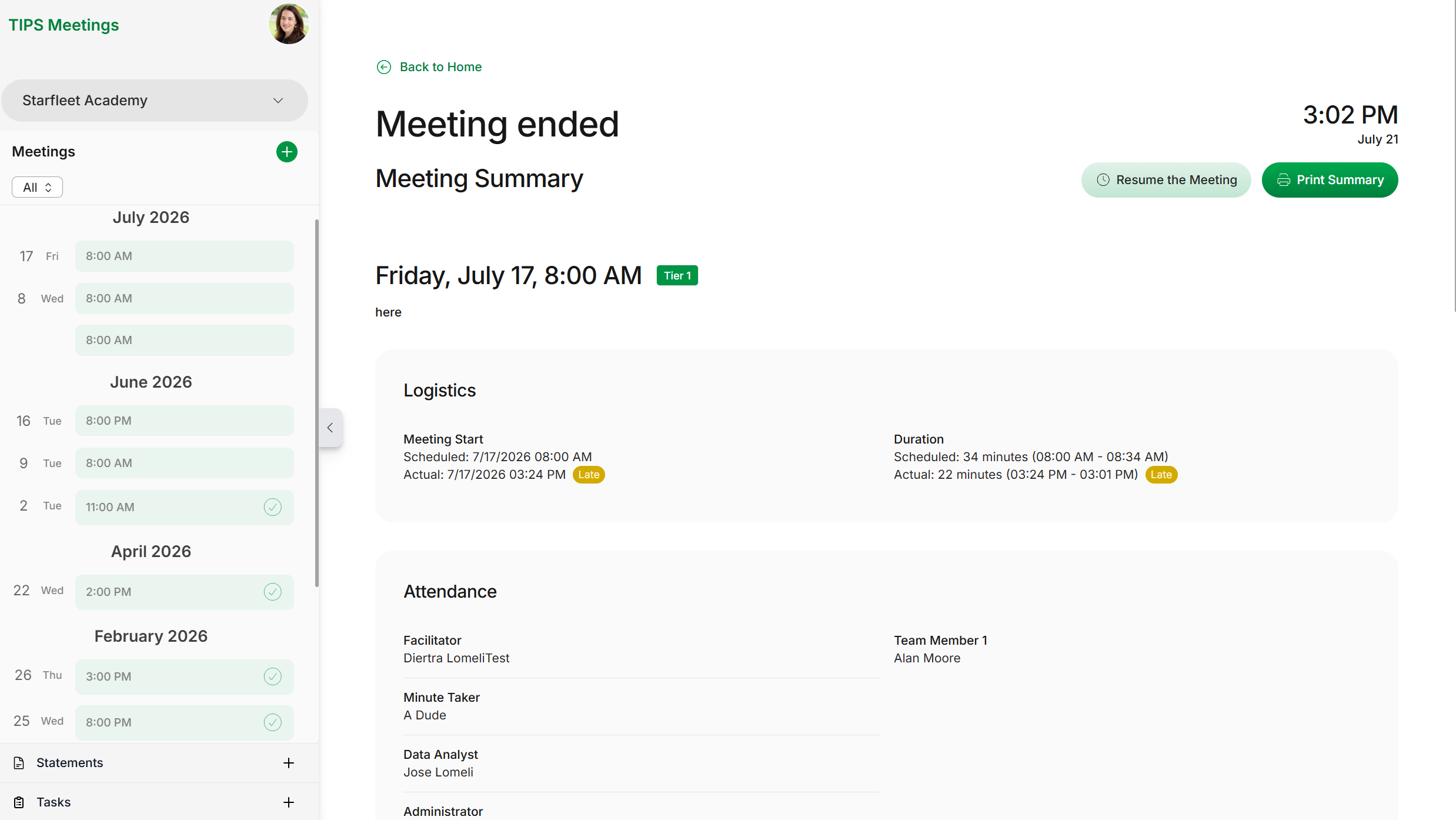
TIPS Meetings keeps your team organized and on-track, empowering you to focus on implementing plans that improve outcomes schoolwide.
Researchers refined the TIPS framework over decades based on experience and grant-funded collaboration with real PBIS teams. Together, we built TIPS Meetings to solve your meeting challenges with one simple solution.
Never Skip a Decision-Making Step
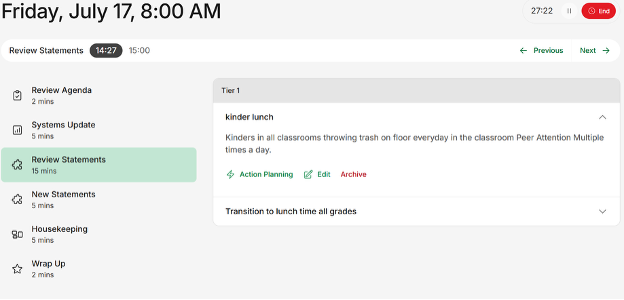
Each step in the TIPS framework builds on the one before it. Following the TIPS framework to assist your team through the decision-making process is easy, but even so, you can miss a detail or forget a task. TIPS Meetings walks your team through every decision-making step, every time.
From identifying issues to setting goals, implementing solutions, and monitoring progress, the process is baked into the app leaving your team free to brainstorm solutions instead of navigating logistics.
Quickly Name and Find the Issues to Solve
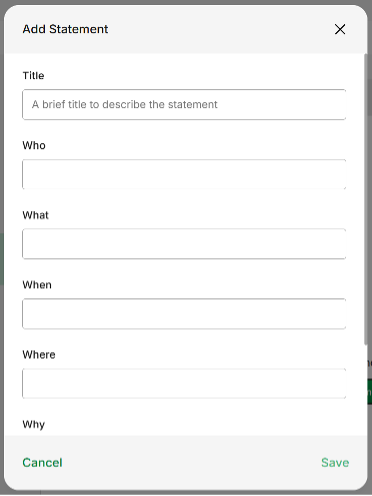
Identifying the issues to explore as a team is the first step in the process. Precision is key. It requires you to know the who, what, when, where, why, and how often of any given concern. Naming the issue with precision takes time and data. Often, it’s a simple sentence, but it’s the foundation for everything you do next. TIPS Meetings gives your precision statements a designated home accessible throughout the app.
- Choose which issues to action plan in your current meeting.
- Review a history of previous issues you solved whenever a question arises.
- Add new precision statements in the moment.
Keep Track of Every Task
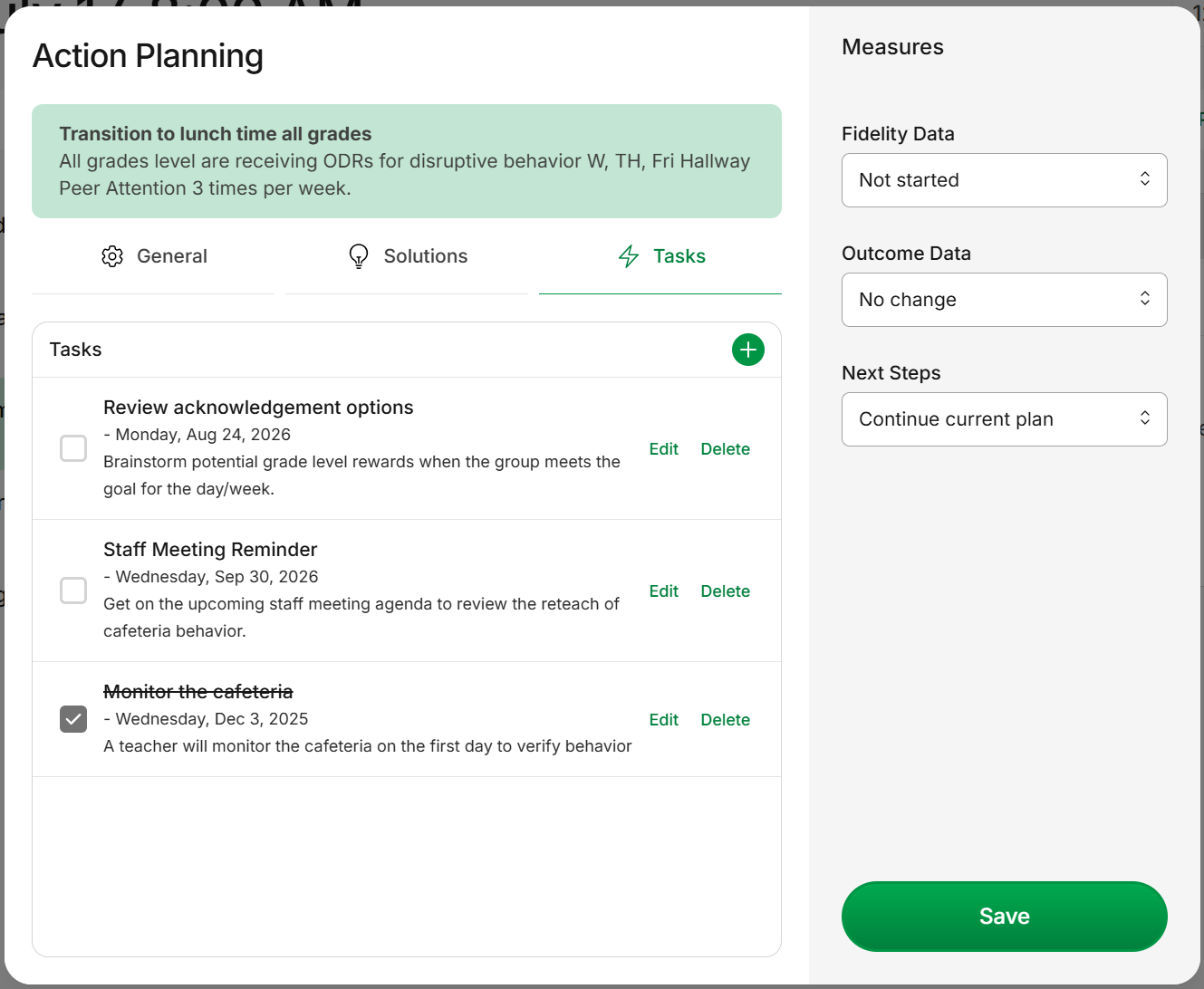
For every precision statement you draft, TIPS Meetings asks your team to break down your solution into a set of tasks assigned to team members. Each task gets a due date. Any open tasks carry over to the next meeting automatically so you can check in on how things are going as a group.
Need a quick look at all pending tasks? No problem! Just check the dashboard and open the Task menu for a list of tasks and which ones might be overdue.
- Define the current state of the issue and set a goal for improvement.
- Brainstorm solutions to teach, prevent, reinforce, or extinguish certain behaviors.
- Break down solutions into manageable tasks assigned to team members with due dates.
End Your Meetings On Time
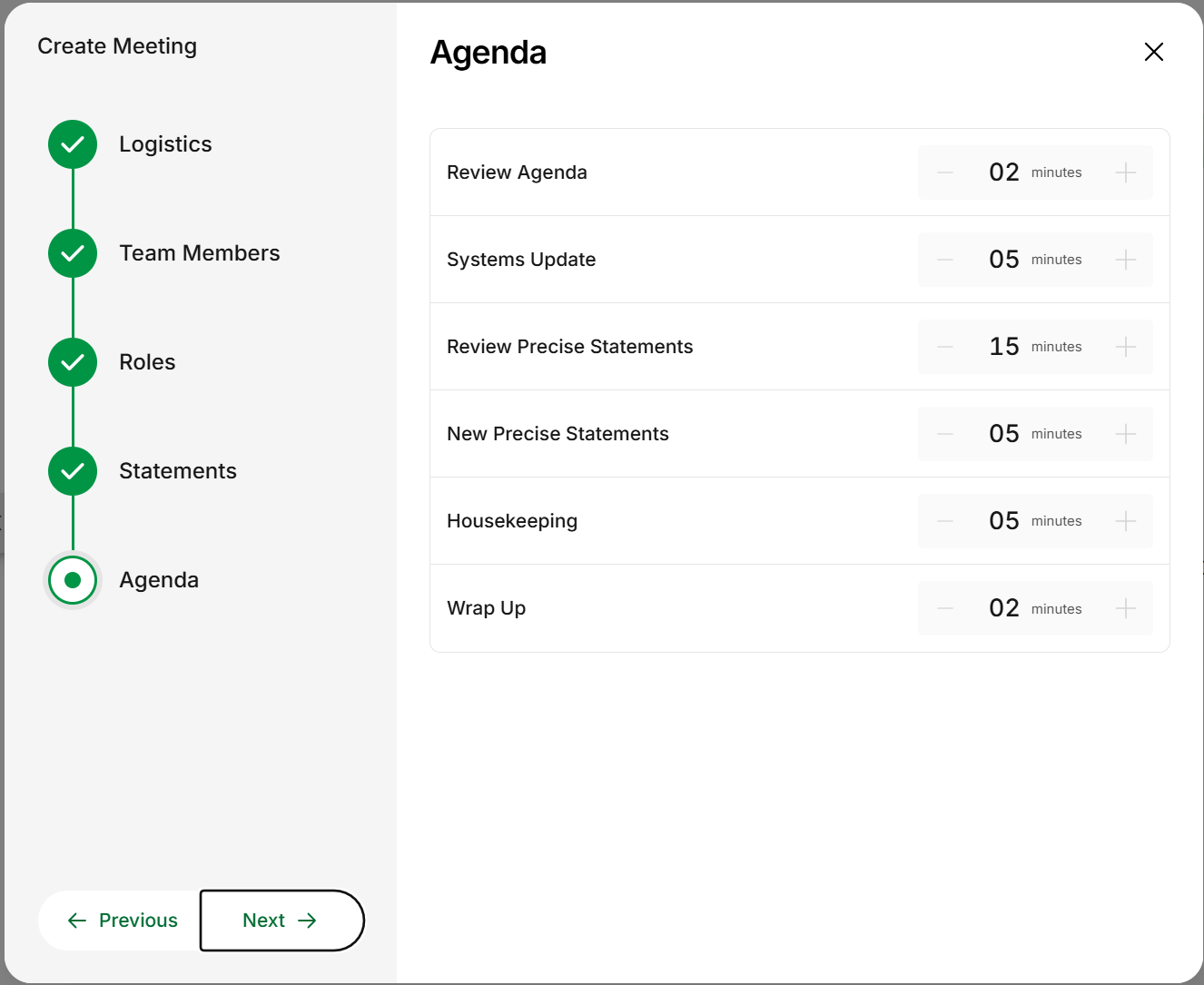
In TIPS Meetings, each section of your agenda gets an allotted time. When you start the meeting, you kick off two timers. The first one counts down how much time you have left for that section of the agenda. The second one keeps track of how long your meeting runs overall. We know this meeting isn’t the only thing on your calendar. With the TIPS Meetings timers, not only will you start to end your meetings on time…you might just end some a little early!
- Decide as a team how long you want to spend discussing each item on your agenda.
- Start the meeting timer when your team is ready to begin.
- Pause the meeting clock when you need to take a break and click play to pick up right where you left off.
Seamlessly Integrate TIPS Meetings with Your SWIS Suite Account
Teams using the SWIS Suite appreciate how the framework complements the systems they already have in place. SWIS Suite reports make it simple to define problems with precision, monitor progress over time, and adjust solutions as needed. TIPS Meetings also takes advantage of Person Management to set up team member meeting roles.
- SWIS Core Reports narrow your team’s focus to an aspect of your referral data you want to explore.
- Draft your precision statement using the SWIS Drill Down Tool.
- Save Drill Down report options to monitor the progress you make.
Subscribe to TIPS Meetings on August 3rd
TIPS Meetings is an add-on to your SWIS Suite subscription. Whether it’s SWIS, CICO-SWIS, I-SWIS, or a combination of the three, if you’re a subscriber, your school can add TIPS Meetings for $15/month, that’s only $180 for a year!
Ready to subscribe? No problem!
On August 3, you'll head to www.pbisapps.org and click the "Subscribe" button at the top of any page. Select the TIPS Meetings app from the list of options, fill out the rest of the form, and click Submit. One of our account specialists will reach out to activate your subscription. So simple!
As the newest addition to our PBISApps suite of applications, our trainers are excited to offer upcoming events to orient you to TIPS Meetings as well as the TIPS framework. We're still putting the finishing touches on those free webinars and double-checking our schedules. Keep checking the PBISApps Training site for more info!
Let TIPS Meetings be your team’s space to review data, create goals, and track next steps for every decision you make.